
How to do it?
You can use one of the two tools available on the platform:
1. Main sending tool
Click the Create a document button in the top left corner of the panel, upload your file, assign recipients, and select the required signature types.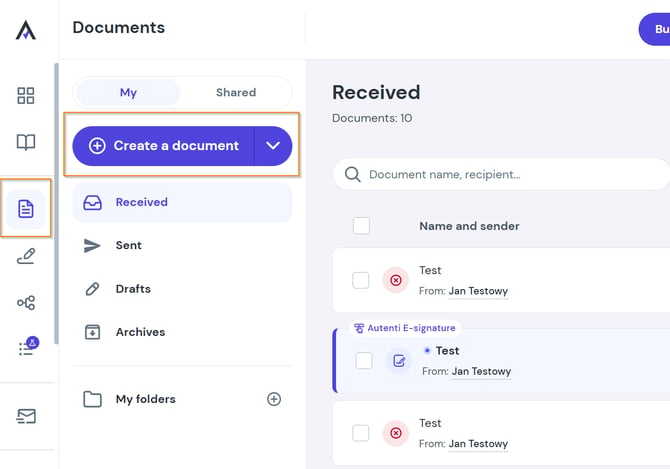
⚠️ Important: If the file contains a signature card or a Level 1 certified signature, the system will not allow you to send the document (a message will appear stating that the file cannot be signed again).
2. Autenti Classic tool
You can find this option in the main menu on the left side of the screen. It allows you to directly sign files.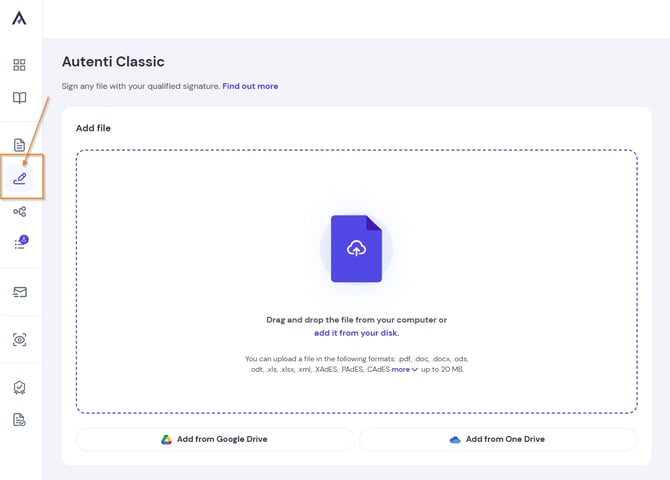
What is Autenti Classic?
👉 Learn more: [Autenti Classic - What is it and how to use it?]