
Step-by-step activation instructions:
- Open your email inbox: log in to the email address provided during account registration.
- Find the message from Autenti: it contains your one-time verification code (e.g. 0642-0005).
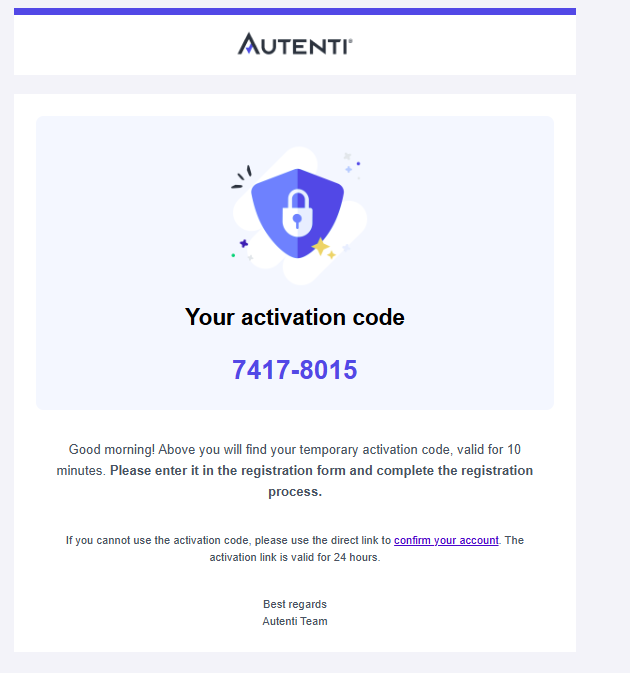
- Enter the code on the activation screen: return to the open account activation form in your browser and type in the code from the email. Remember that the code is valid for 10 minutes from the moment it is generated.
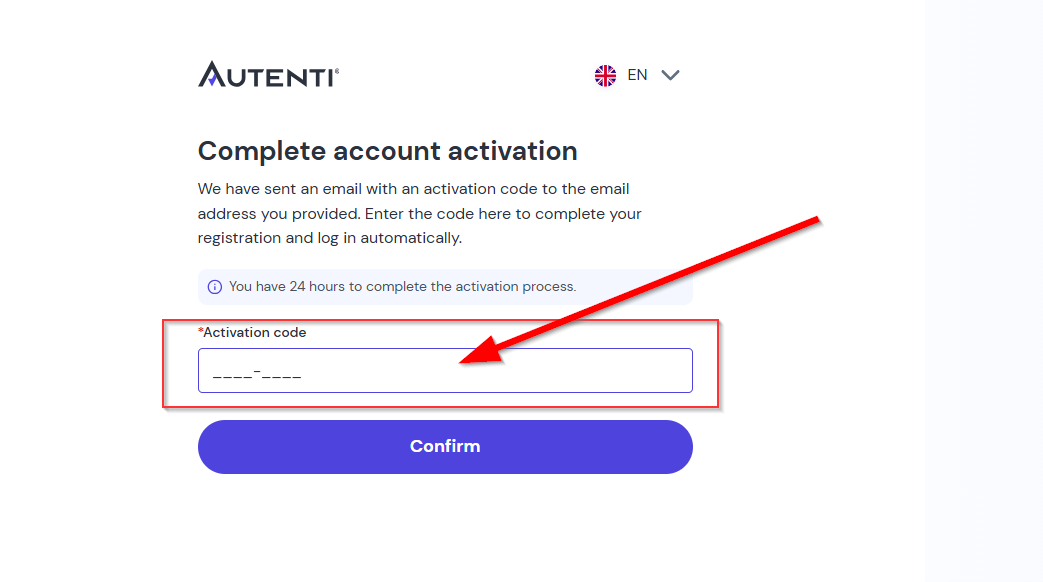
- Submit the form: after entering the correct code, the account becomes active and ready to use.
Important rules:
- Code validity (10 minutes): The verification code expires after 10 minutes. If the code expires, use the activation link, which is valid for 24 hours (found in the email below the code).
- One-time activation link: The activation link in the email is for one-time use only. After successful account activation, it expires and cannot be used for later login.
- Logging in to the platform: After activating your account, log in to the platform only via the official Autenti login page using your email address and password.