
Step-by-step instructions
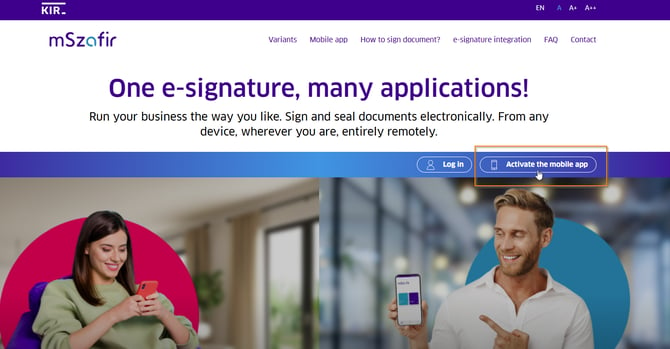
1. Open the mSzafir websiteGo to mszafir.pl and click "Activate mobile app"
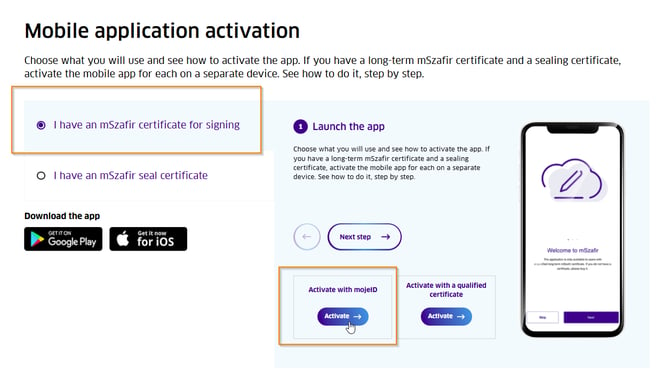
2. Select your activation method
Choose the option that matches how you verify your identity:
- Mobile app activation with mojeID: Select this if you activated your signature using your bank account. Check "I have an mSzafir certificate for signing" and then "Activate with mojeID".
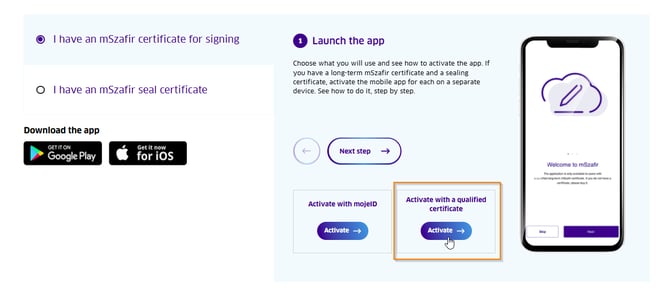
- Mobile app activation with a qualified certificate: Select this if you activated your signature using a qualified certificate stored on a USB card.
3. Verify your identity
You will be redirected to the login screen. Select your bank and log in to online banking (or use your USB certificate) to confirm your identity.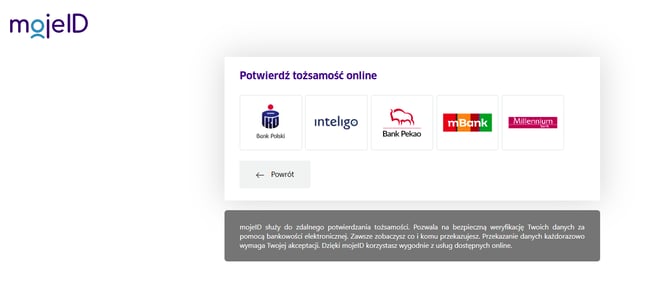
4. Generate the activation code
After successfully verifying your identity, you will see a screen with "Activate mobile app" instructions. Click the button to generate your activation code.
5. Enter the code in the app
Open the mSzafir mobile app on your phone and enter the generated code.
Important: The generated code is valid for 3 minutes only. If the time expires, generate a new code on the website and enter it in the app.