
Initial setup
During your first login after the feature rollout, a pop-up window will prompt you to select your default start page:
- e-Signatures (My Documents)
- e-Delivery (Autenti eDelivery)
- e-ID (BROKER ID)
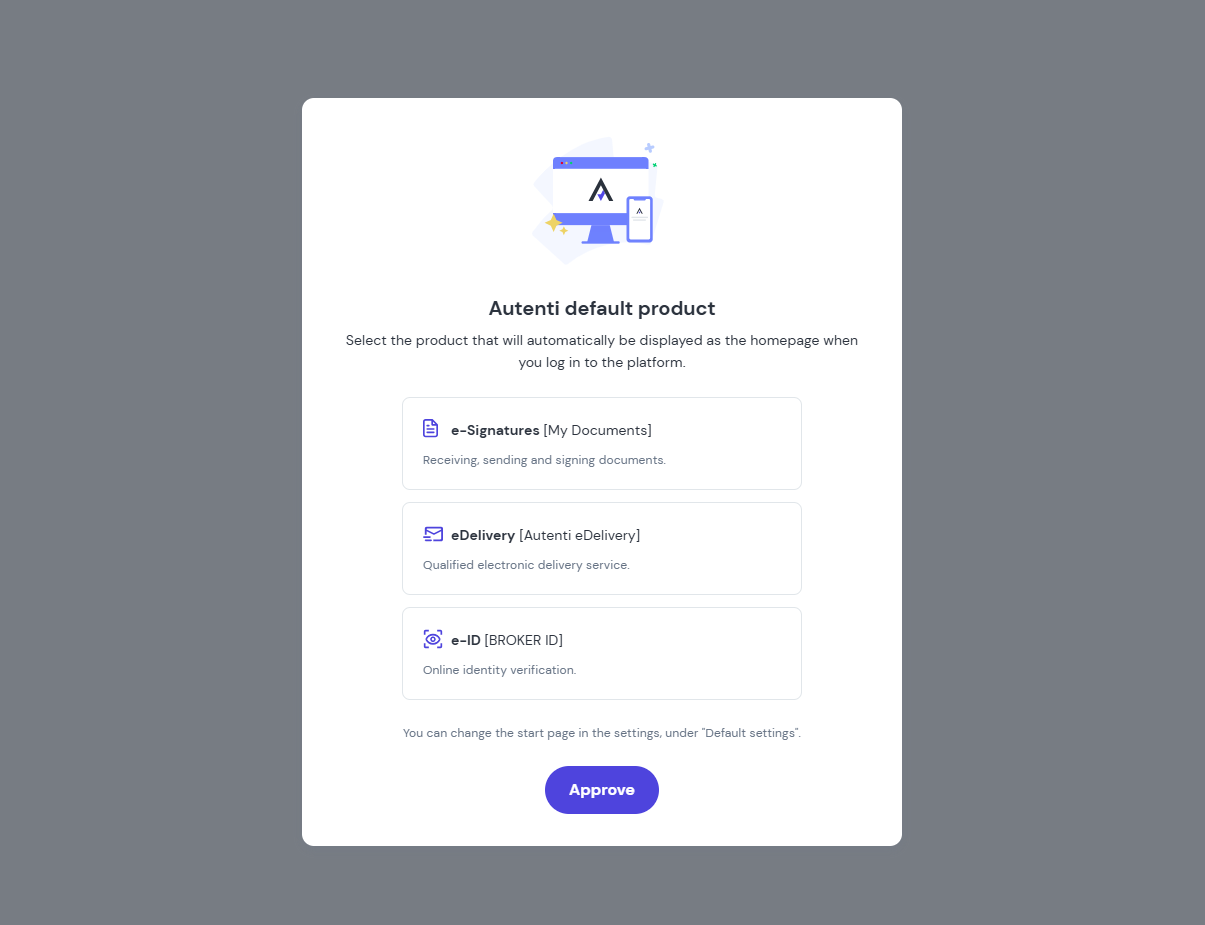
Your selected option will load first upon every login.
How to change the default product?
You can update your selection at any time. Simply follow these steps:
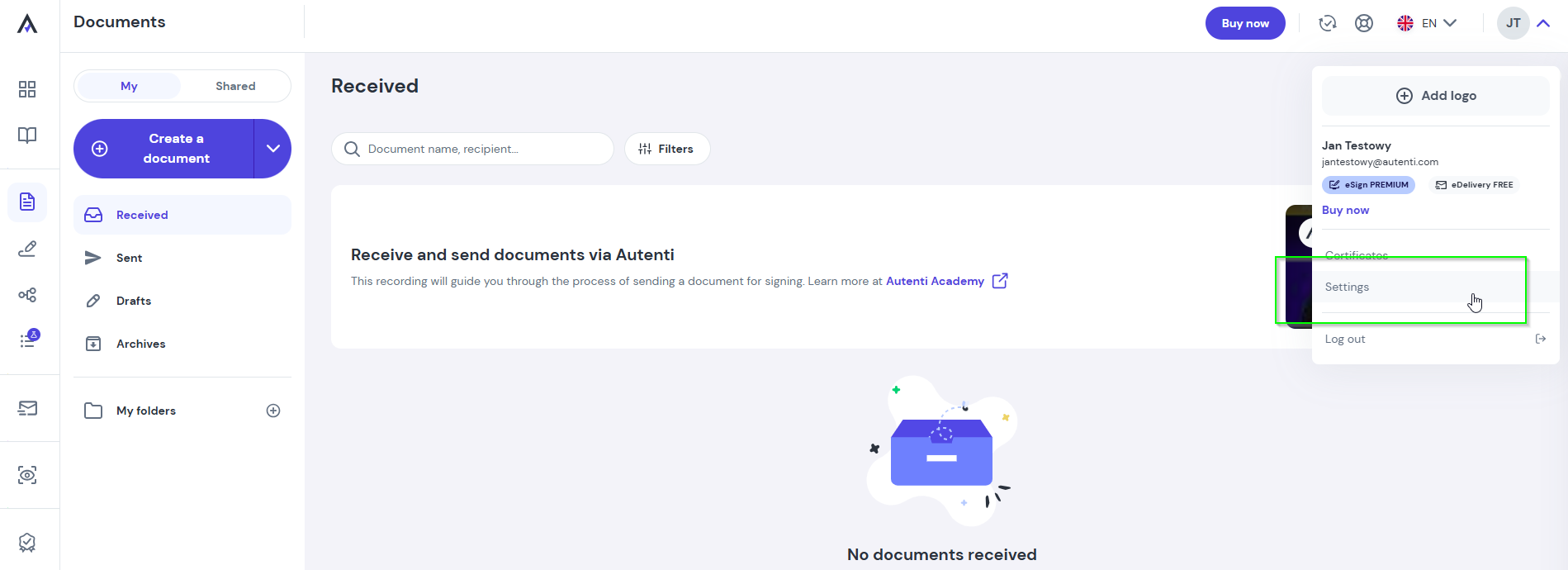
- Go to Settings.
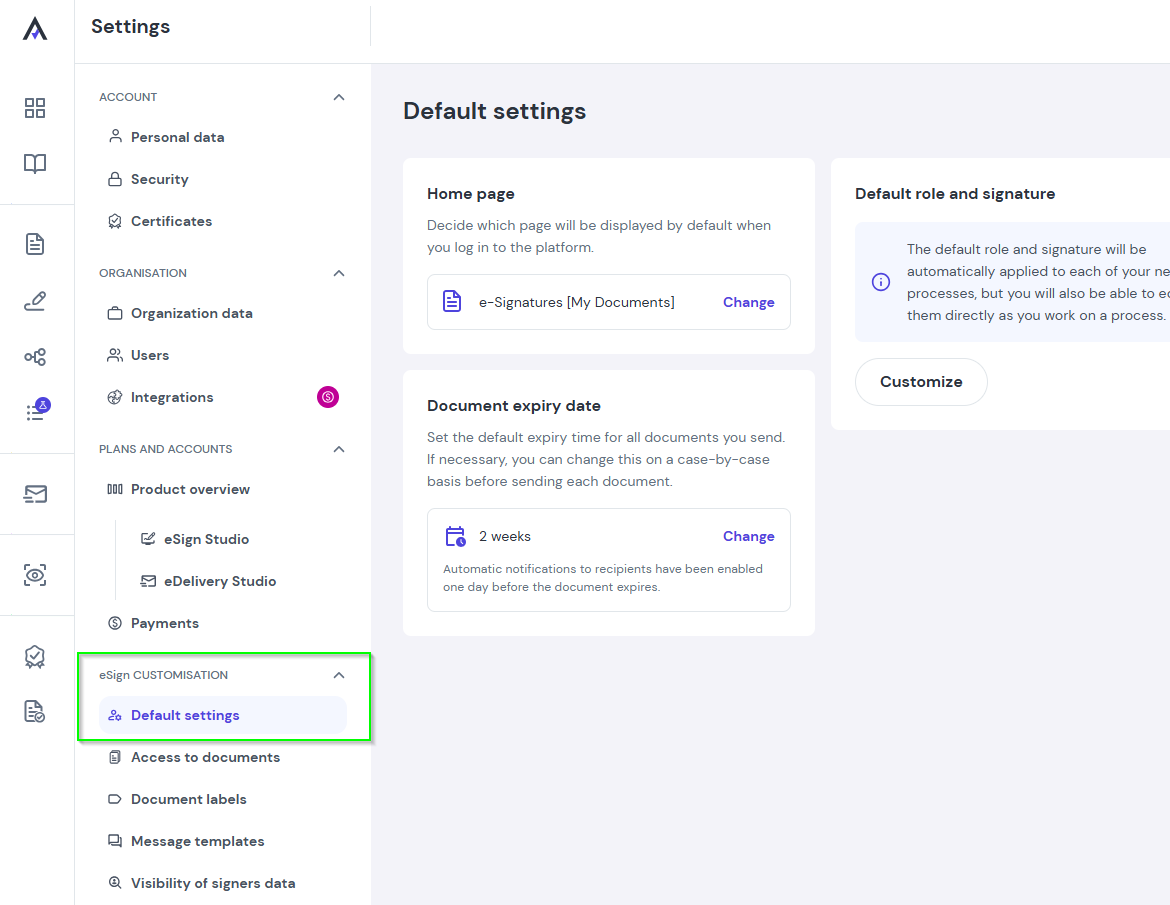
- In the eSign Customisation section, select the Default Settings tab.
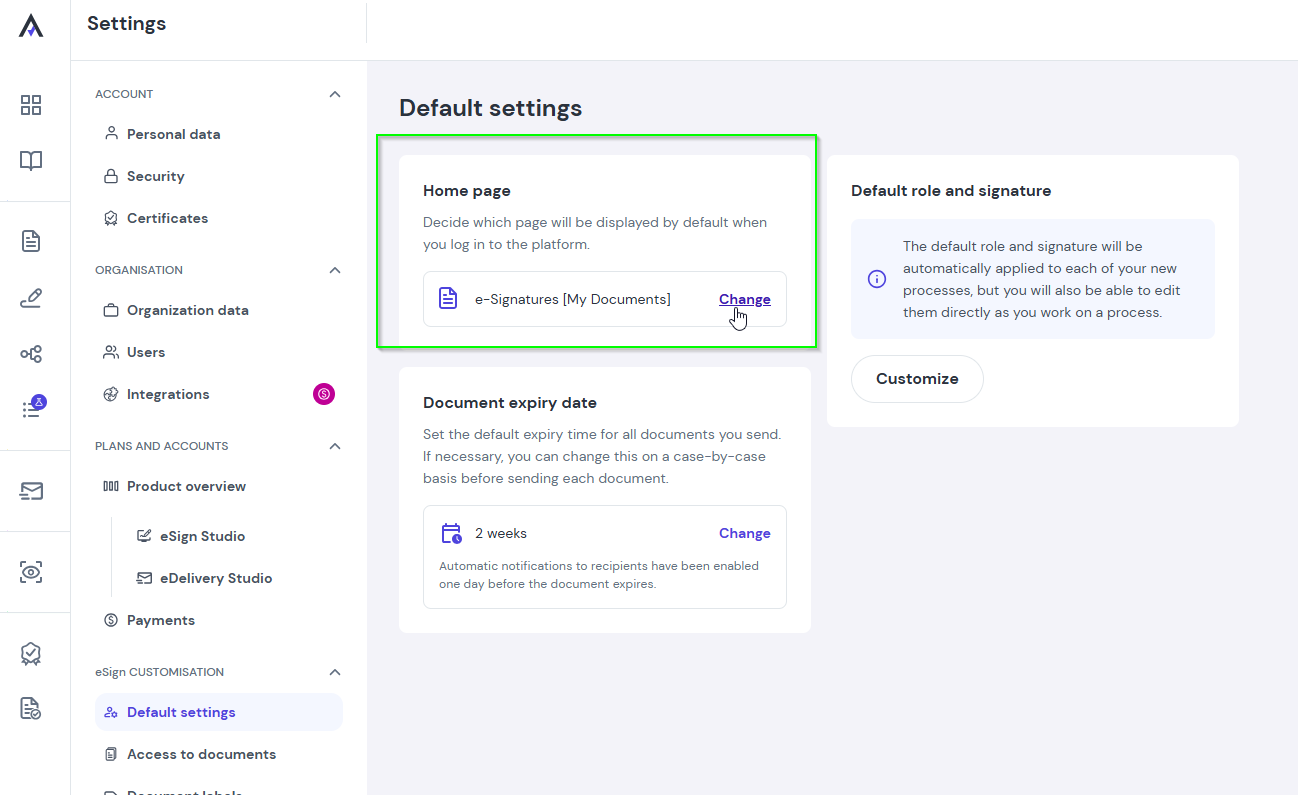
- In the Homepage field, click Change and select your preferred product.
- Click Save changes to apply the update.