
Step-by-Step Document Signing Instructions
- Review the document
Read the content of the document, mark the required consents and declarations on the platform, then select rSign as your qualified signature provider and click Next.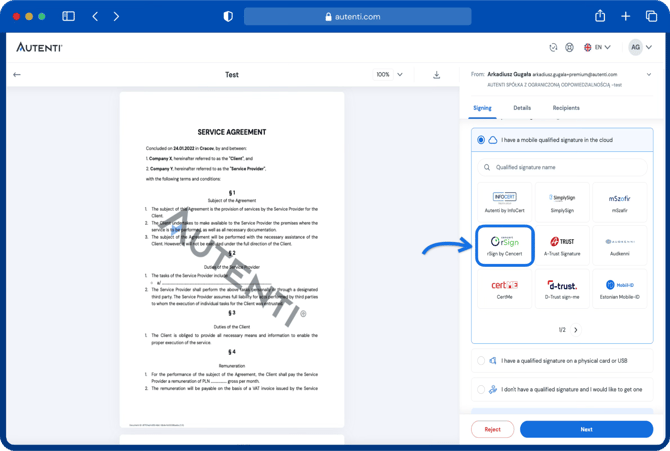
- Open the rSign mobile app
Select the Key ID section in the app.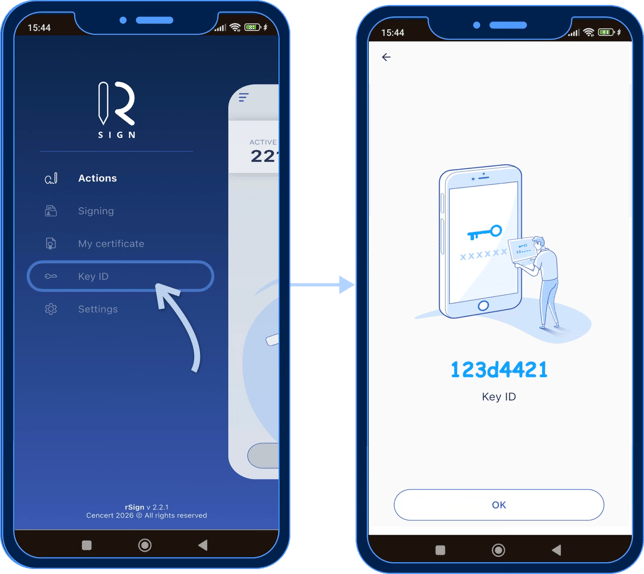
- Enter the key ID on the platform
Copy the key ID displayed in the app into the designated field on your computer screen.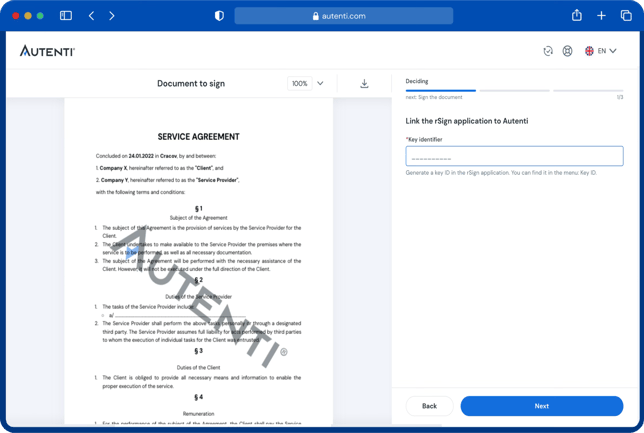
- Authorize access
Type the authorization code from the mobile app onto the platform and click the Sign button.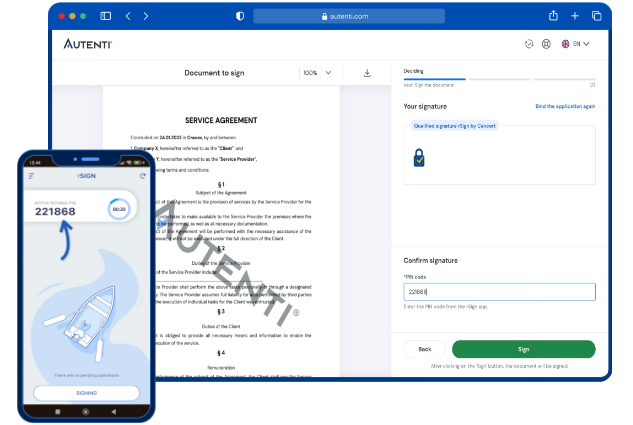
- Approve the signature on your phone
Open the notification in the rSign app on your phone and click Approve.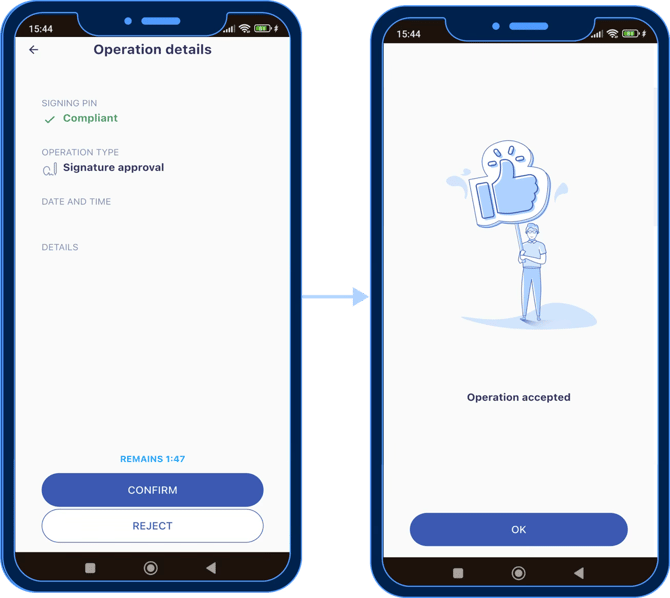
- Your document has been successfully signed.