
How to find your alias?
Your alias is generated automatically after successfully completing identity verification. You will receive it via email titled: "Congratulations! You have activated your Autenti by InfoCert certificate".
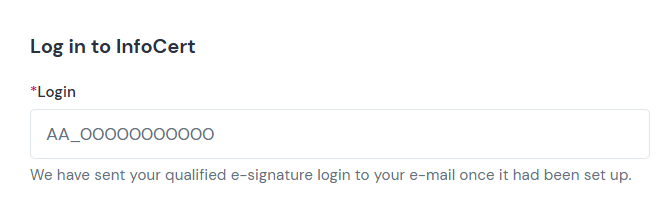
- Alias format: It typically consists of your initials, an underscore and your phone number with the country code.
- Example: AB_48123123123
💡 Tip: Your alias is directly linked to your certificate. You can use it to sign documents with InfoCert regardless of which Autenti account you are logged into or which email address received the document.
Where and when to enter your alias?
You enter your alias at the time of signing a document with the Autenti by InfoCert signature - both when signing a document sent to you by someone else and inside the Autenti Classic dashboard.
Step-by-step signing process:
- After selecting the Autenti by InfoCert signature option, enter your Alias in the designated field.
- In the next step, enter your 8-digit PIN (set up during your identity verification call).
- Confirm the operation with the one-time SMS code (OTP) sent to your phone number.