
Step by step:
- Log in to your account on the Autenti platform.
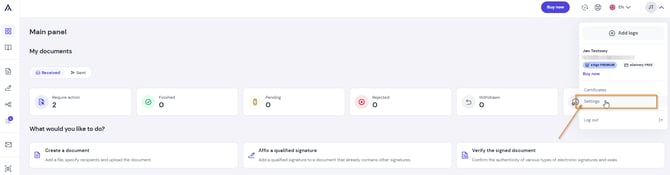
- In the top right corner, expand the menu and select Settings.
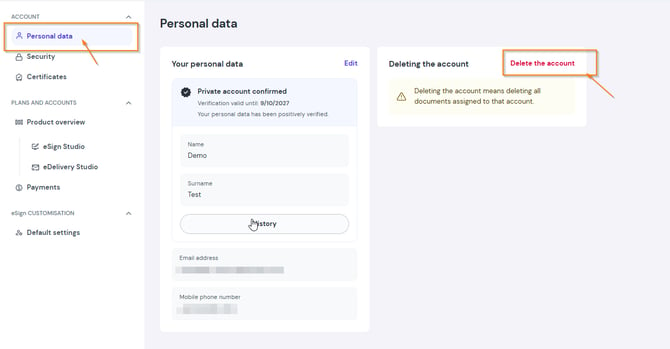
- In the left menu, select Personal data, then click Delete account.
- We have sent a confirmation link to your email address. Open the email and click Delete account to complete the process. That's it!
⚠️ What to do if you have an e-Delivery mailbox (BAE address)?
If an e-Delivery mailbox is assigned to your account, you must complete additional steps before deleting the account.
Step A: Administrator (AKP) permissions
Only a Confirmed Account Administrator (CAA) can delete an account.
- If your account is NOT confirmed yet: You will see a message on your screen asking you to confirm your account first. Confirm your account to get CAA permissions and continue.
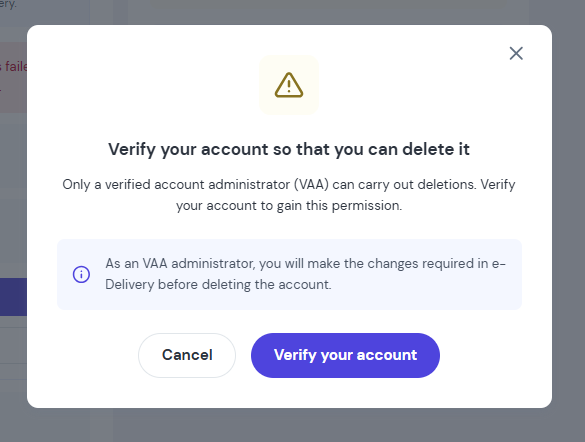
Step B: Hide the address and change e-Delivery settings
Once you have AKP permissions and your account is confirmed:
- Go to the e-Delivery tab.
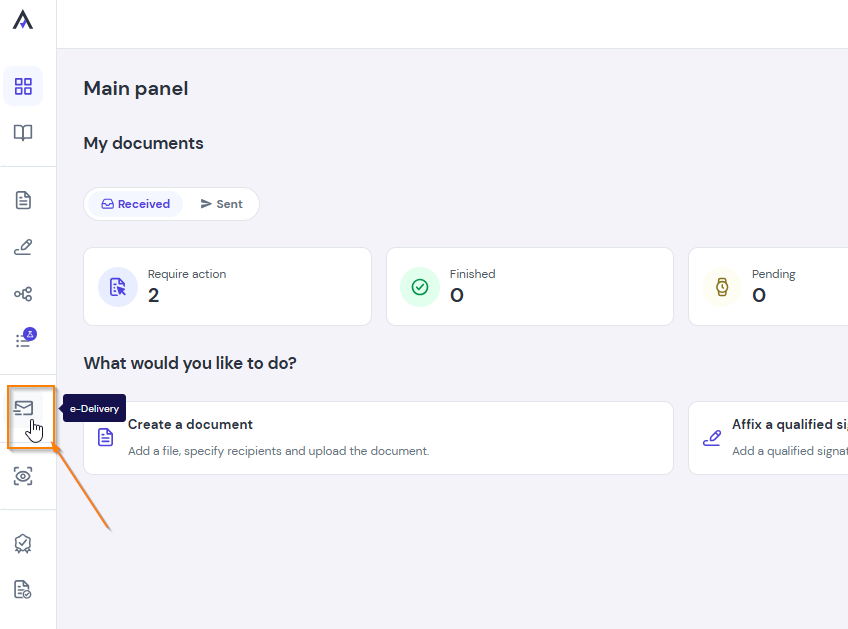
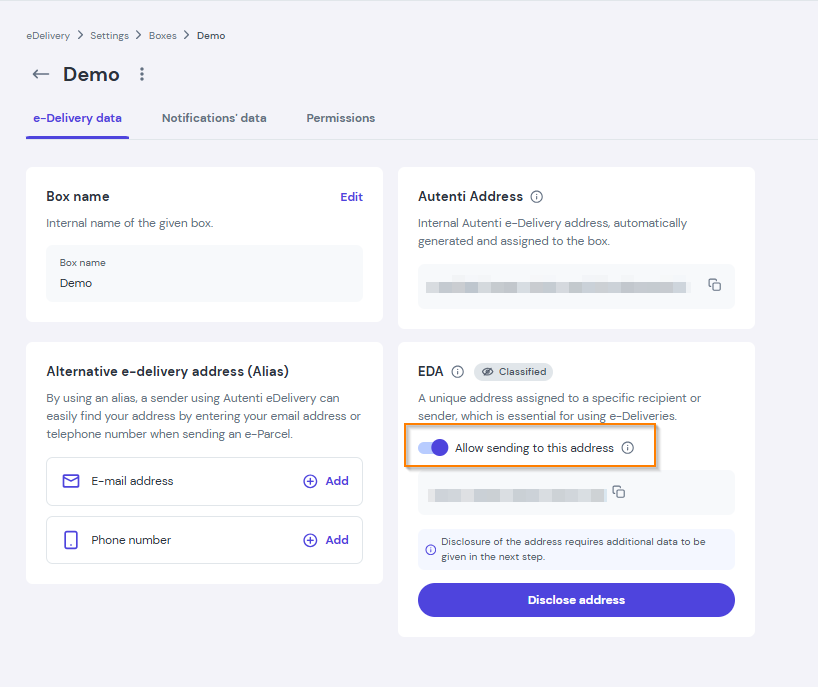
- If your BAE address is public (disclosed), set it to private (hidden).
- Uncheck the option Allow sending to this address.
- Go back to the Personal data tab and click Delete account again.
- After clicking Delete account, you will see a message confirming that a link was sent to your email address.
- Open your inbox and find the confirmation email.
- Click the Delete account button inside the email to complete the process.
Remember! Deleting an account is permanent and removes all documents assigned to this account.