
How to turn off auto-renewal for the entire subscription?
- Log in to your account.
- Go to Product Overview > eSign Studio.
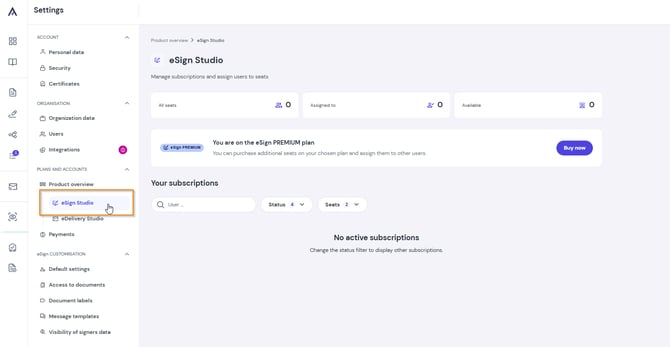
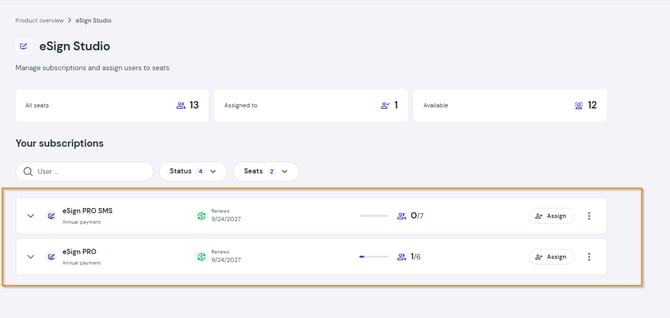
- Find the subscription you wish to cancel.
- Click Disable renewal for the entire subscription.
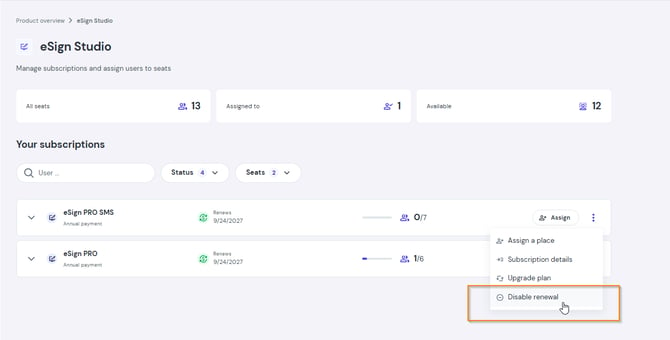
Note: Turning off auto-renewal for the entire subscription applies to all users assigned to seats under this plan.
How to turn off auto-renewal for selected seats?
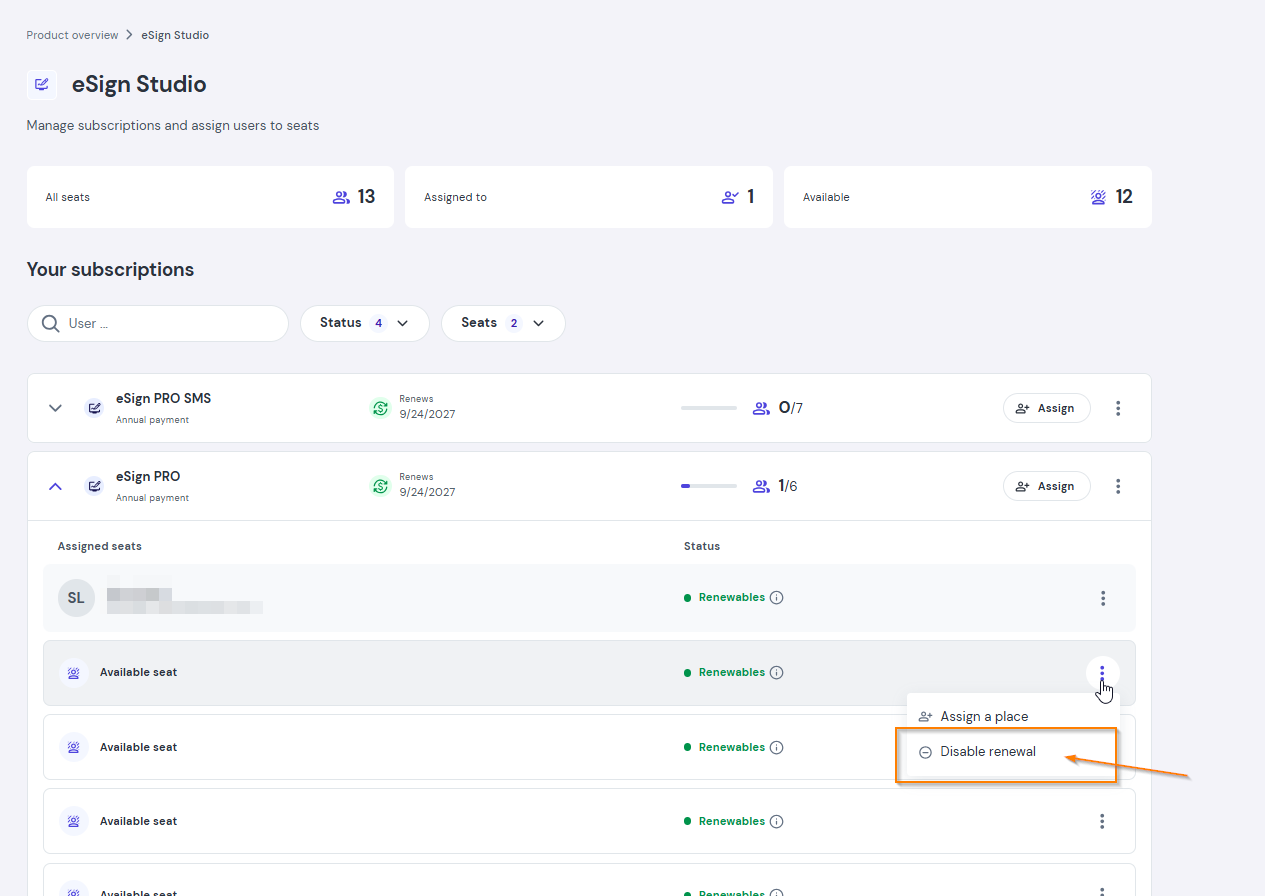
If you have multiple seats under one subscription (e.g., 4 seats) and want to reduce the number (e.g., to 2):
- Go to Product Overview > eSign Studio.
- Expand the details of the selected subscription.
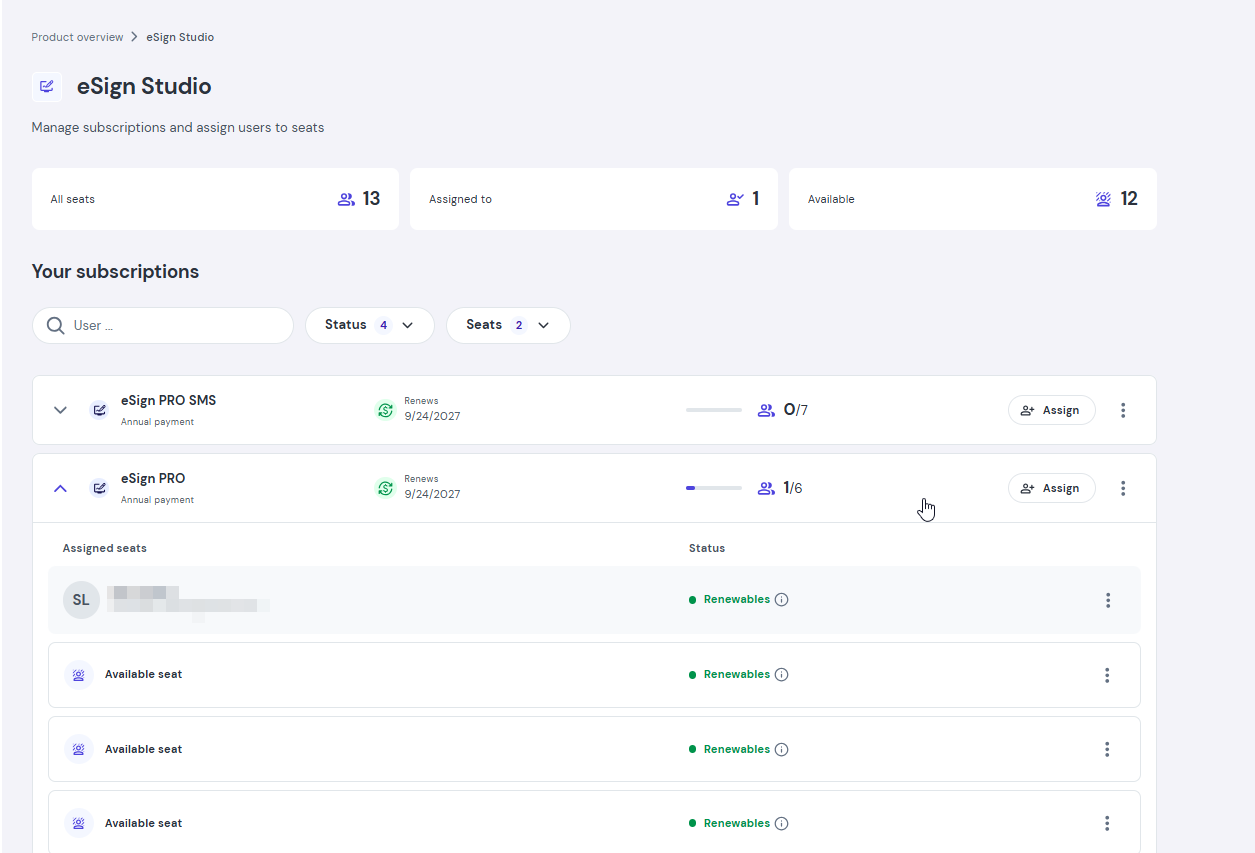
- Click Disable renewal next to the specific seat you want to cancel.
Will I lose access to my documents after canceling my subscription?
No. After your paid period ends, your account automatically transitions to the free eSign FREE plan. You will retain full access to your account and to all previously created and signed documents.
What happens after cancellation?
- You retain access to all paid features until the end of your current billing period.
- Once the period ends, your account automatically downgrades to the free eSign FREE plan.