
How to resume editing your document:
- Log back in to your account on the platform.
- In the side navigation menu, go to My Documents and select the Drafts folder.
- Locate the file on the list and click Edit to complete the setup and send it for signature.
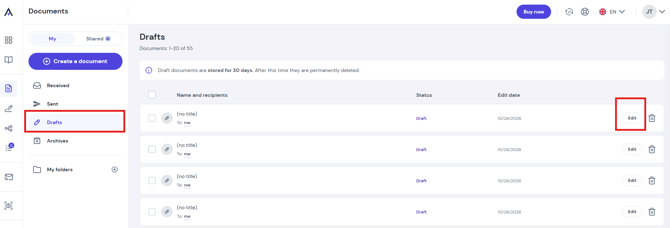
Important: Draft documents are stored in the system for 30 days. After this period, they are permanently and irreversibly deleted.