
What Does Document Expiration Mean?
When a document expires:
Expiration Setting Options
When sending a document, you can choose one of two ways to set its validity period:
- Validity Period: Specify the number of days (from 1 to 365). The system will automatically calculate the exact expiration date and time.
- Specific Date: Select a specific day from the calendar on which the document should expire.
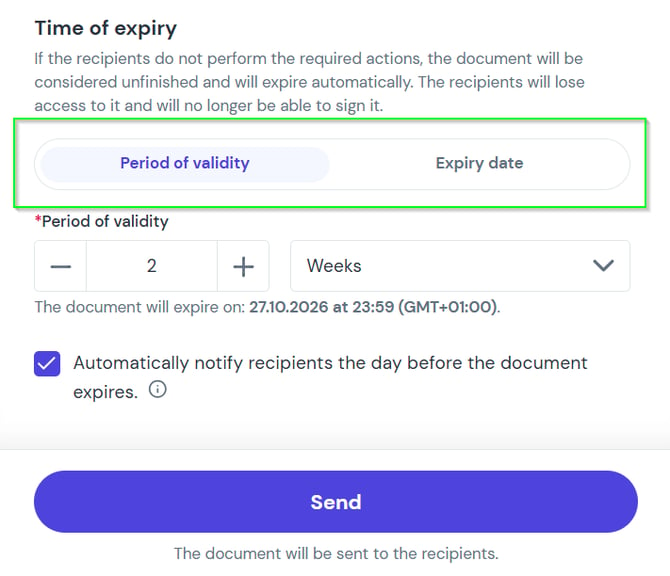
Tip: In both cases, you can enable an automatic reminder. The system will send an email notification to recipients 24 hours before the document expires.
How to Set Expiration Time for a Single Document
You can adjust the expiration date while creating a workflow.
- Go to process editing: While setting up the document, click the Additional options button.
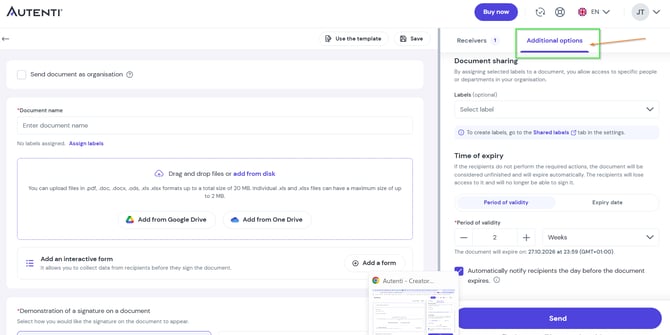
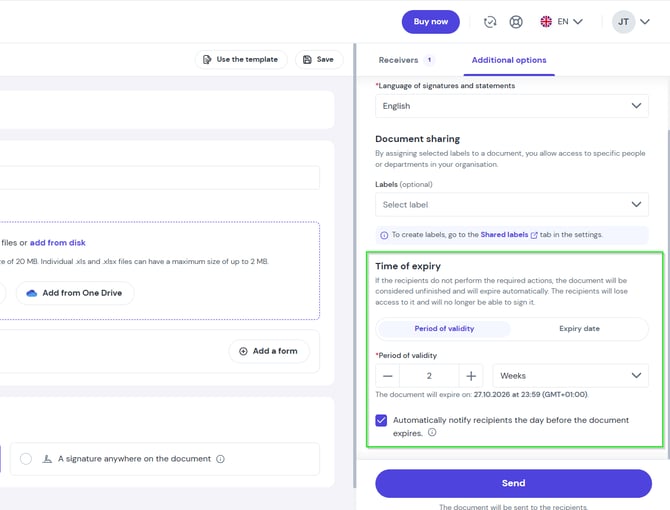
- Select and save settings: Choose Validity period or Expiration date, set your preferred time, and (optionally) check the box for an automatic notification 24 hours before expiration.
How to Set Default Expiration Time for All Documents
If you send many documents with a similar validity timeframe, you can define a default setting for your account. This setting will automatically apply to every new draft.
- Go to Settings -> eSign Customization -> Default Settings.
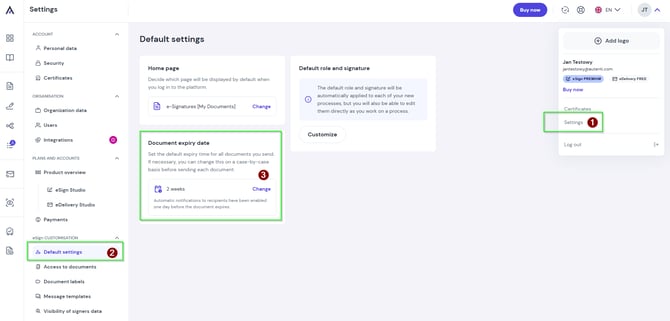
- In the Document expiration time section, select the default unit range:
- 0–365 days
- 0–52 weeks
- 0–12 months
- Save changes.
Note: Each user in an organization configures their own default preferences. You can always override this setting individually for a specific document before sending it.
Frequently Asked Questions (FAQ)
What is the default document validity period?
By default, a document expires 180 days after being sent (unless you change this in the default settings or during dispatch).
Can I restore an expired document?
No. Expired documents cannot be reactivated. To collect signatures, you must create and send a new workflow.