
-
Signing a document using the Autenti e-Signature.
If the SMS code did not reach you, you can resend it to the specified phone number.
How to generate a new SMS code?
For the Autenti e-Signature, first wait at least 30 seconds before requesting a new code.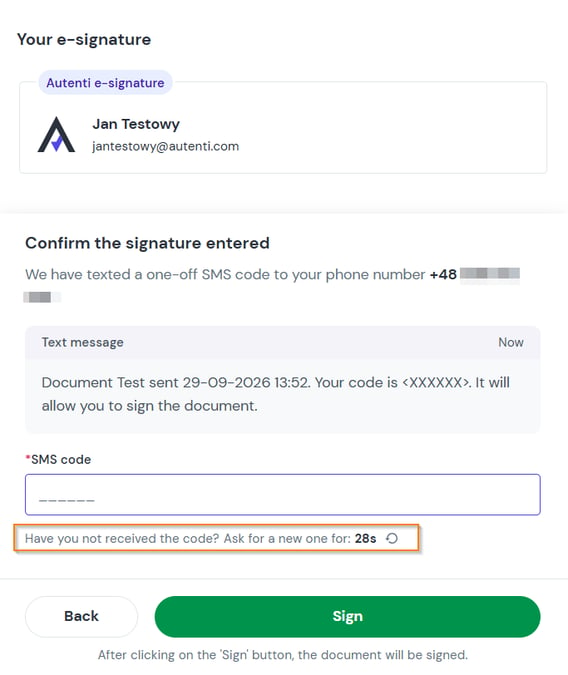
Then click the Have you not received the code? Resend code button.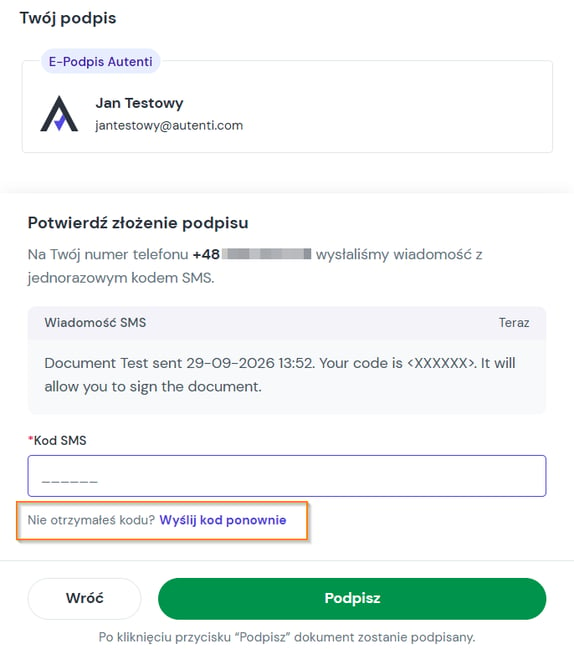
What to do if the SMS still hasn't arrived?
1. Verify the phone number displayed on the screen
- For Autenti e-Signature: Check the phone number shown on the screen - it was entered by the document sender. If you see an error in the number (such as a typo or incorrect country code), contact the sender directly. In this situation, the sender must cancel the current process and send the document again with the correct phone number.
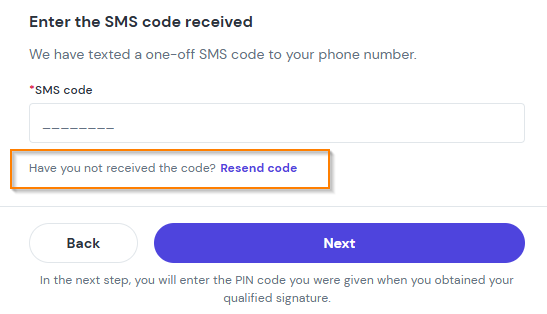
- For InfoCert qualified signature: The phone number is permanently assigned to your qualified certificate and cannot be edited during the signing process. Authorization codes will be sent exclusively to this assigned number. In this case, you can also request a new SMS code by clicking Have you not received the code? Resend code.
2. Check your phone and network settings
If the phone number on the screen is 100% correct, make sure that:
- Your phone has cellular network reception and airplane mode is turned off.
- Your SMS inbox is not full.
- The message has not been placed in your Spam or blocked messages folder.
- You have restarted your phone - rebooting the device refreshes the connection to the cellular network tower and often resolves delayed deliveries.
Still need help?
If the steps above did not resolve the issue, our team will be happy to help:
- ✉️ Email: reach out to support@autenti.com
- 💬 Live Chat: click the chat bubble icon in the bottom right corner of the Autenti website