
How to unlock the document:
- Click on the blocked document.
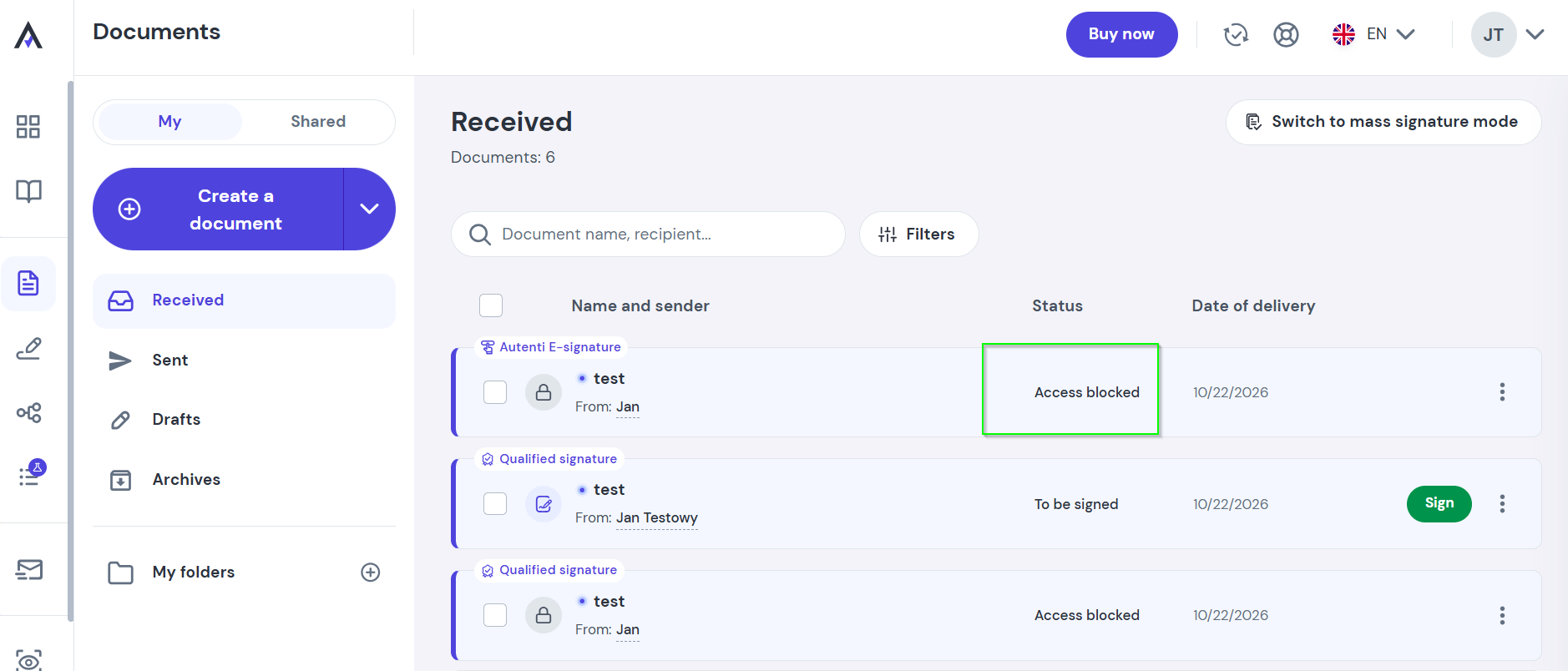
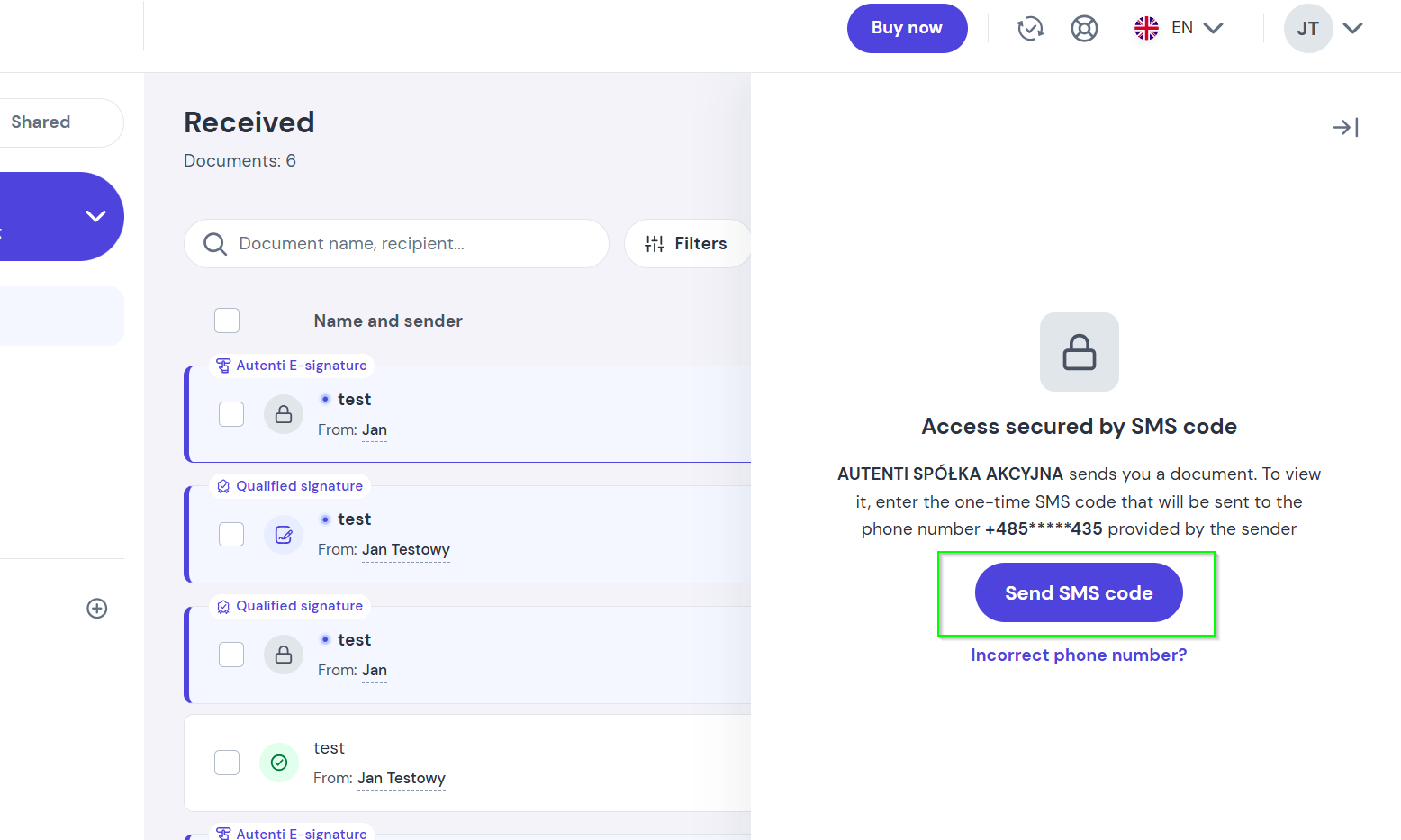
- Select Send SMS code.
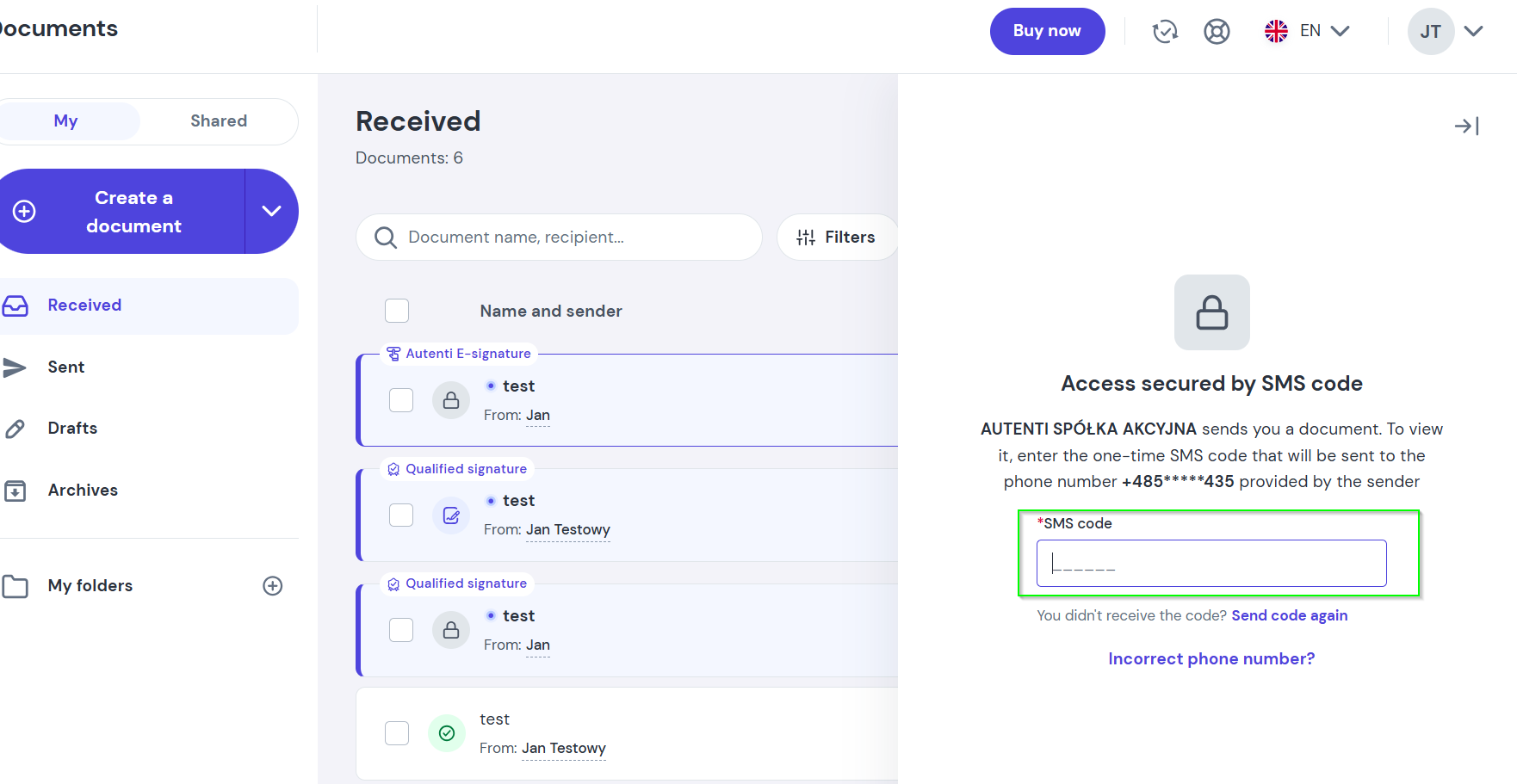
- Enter the code you receive via SMS to access the document.
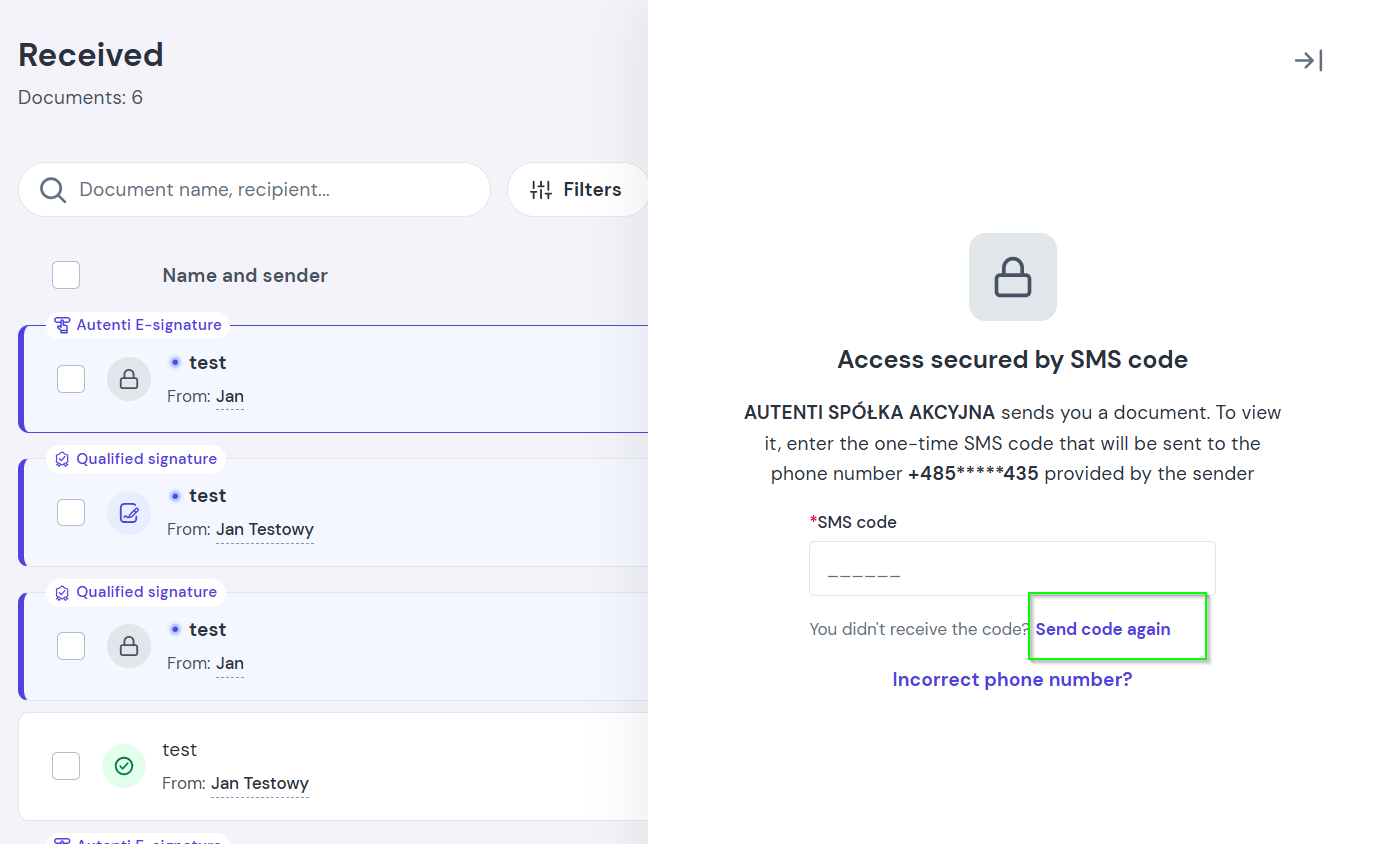
Not receiving the SMS code?
- Resend the code: Wait a moment and click Send code again.
- Incorrect phone number: If you still haven't received the SMS, the sender may have entered an incorrect phone number.
- Next steps: Contact the sender directly to verify and update your phone number in their records.