
Updating billing details on your account
Before requesting a correction, please update your billing details in your account settings. This ensures that all future invoices are issued with the correct information.
- Log in to your account.
- Go to Settings > Payments > Invoice Details. Click Edit.
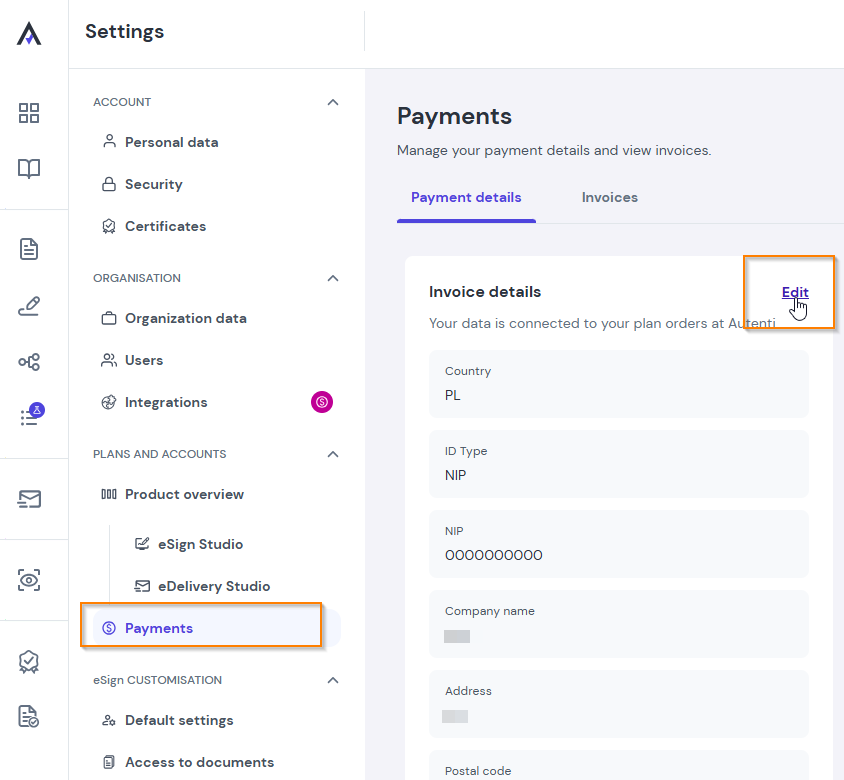
- Enter the correct company details and save changes.
Requesting an invoice correction
To help us process your correction request quickly, please include the following in your email to support@autenti.com:
- The incorrect invoice number or order ID.
- The correct billing details (full legal company name, address, and Tax ID/VAT number).