
Important: Only a user with Super Administrator permissions can purchase a subscription for your organization. If you do not hold this role, please contact your company account Super Administrator.
What is a seat?
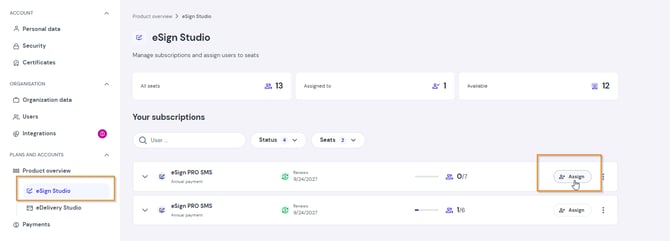
A seat is an individual user license that allows one person to access the paid features of the platform. After purchasing a subscription, you can assign seats to selected team members under Settings > Product Overview > eSign Studio.
Purchase instructions:
- Log in and start your purchase
Log in to your account and click Buy now.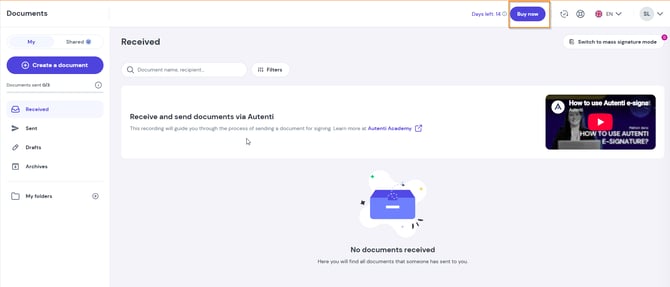
- Select a plan
Choose the subscription plan that best fits your needs. -
Choose the number of seats
Enter the total number of seats you wish to purchase. You can buy any number of seats, even if it exceeds the current number of active users in your organization.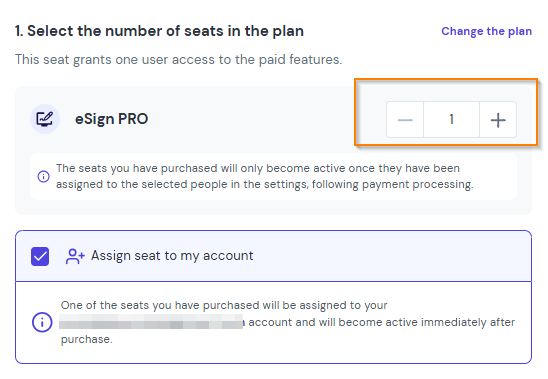
-
Select payment type
Choose your preferred payment interval (e.g., monthly or annual).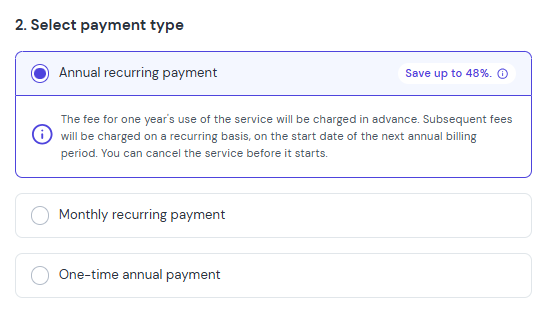
-
Fill in invoice details
Enter or update your billing information for the invoice.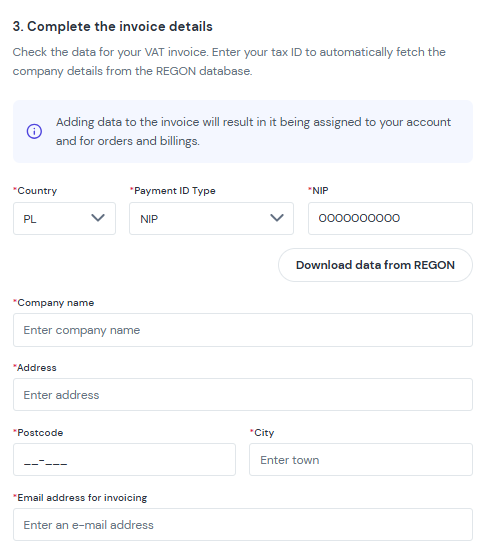
-
Apply a discount code (optional)
If you have a promo code, enter it into the designated field and click Go to payment.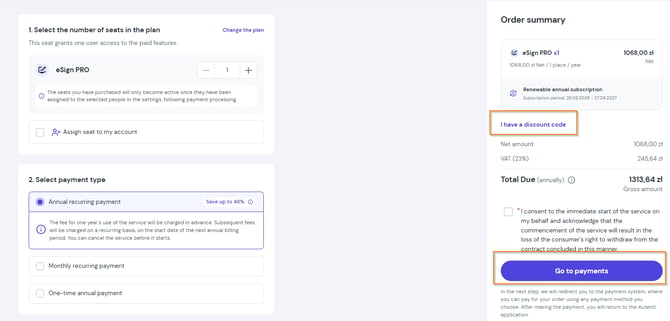
-
Complete the transaction
Depending on your selected payment method, you will be redirected to a secure payment page to finalize the order.
Tip: Want to learn more about our supported payment methods? Read our dedicated article: [How Can I Pay for My Order?].
What happens after a successful payment?
Once the transaction is completed, you will receive an immediate email confirmation along with your VAT invoice, and your new limits and features will be activated.
How seats are applied:
- If you selected the Assign seat to my account option, the plan will be automatically assigned to your account as soon as the payment is credited.
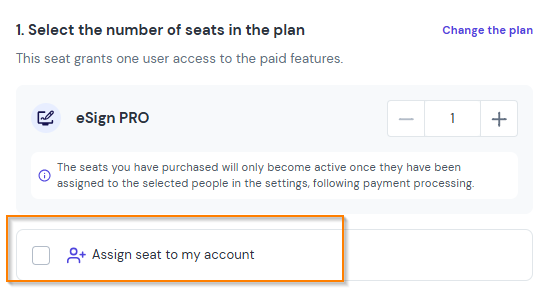
- If you left this option unselected, you can manually assign the seat at any time (to yourself or other team members) by going to Settings > Product Overview > eSign Studio.
Important: Within one subscription, you can choose only one type of plan (for example, PRO). To use different plans (for example, PRO and PREMIUM), you must create separate subscriptions.