
Step by step:
- Log in to your account on the Autenti platform.
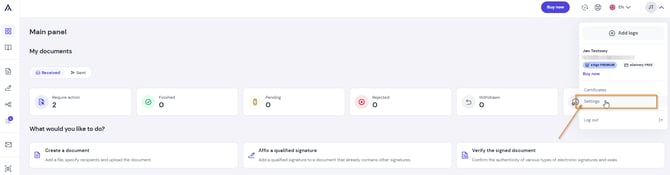
- In the top right corner, expand the menu and select Settings.
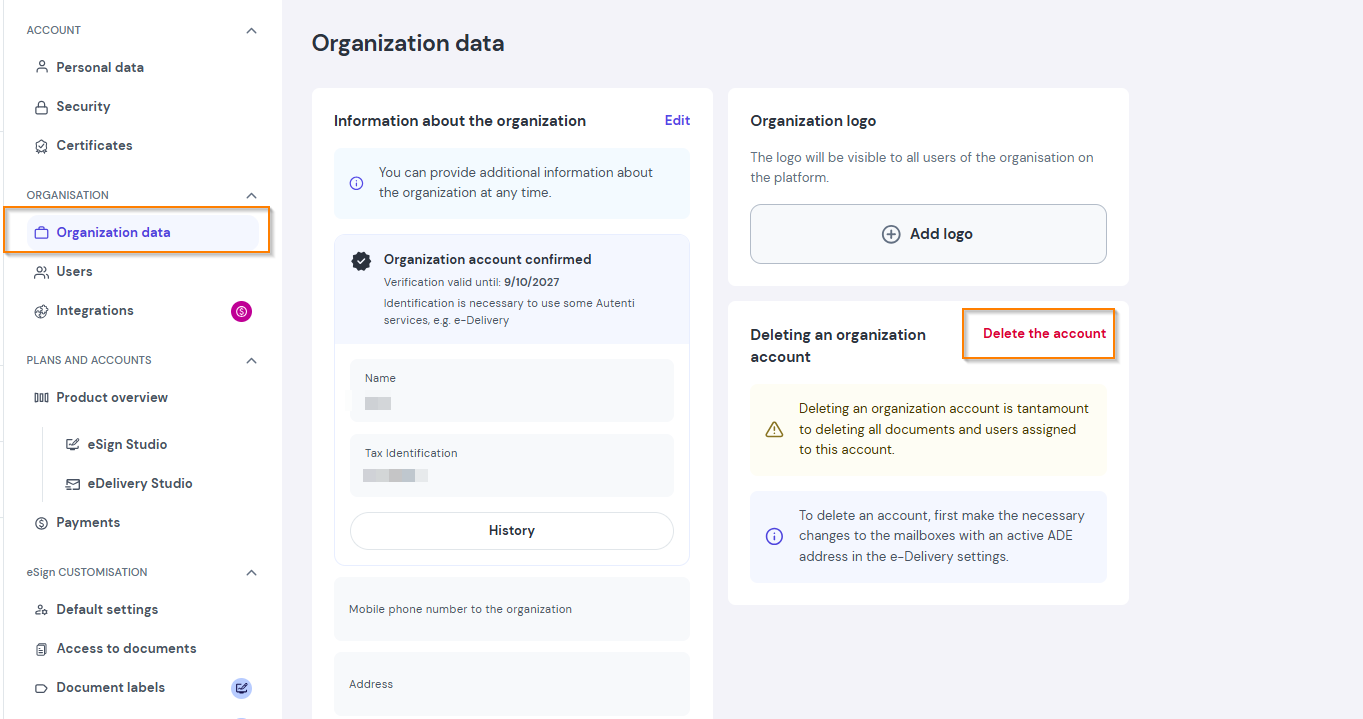
- In the left menu, select Organization details, then click Delete account.
⚠️ What to do if your organization has an e-Delivery mailbox (BAE address)?
If an e-Delivery mailbox is assigned to your company account, the system requires additional steps before sending the account deletion link.
Step A: Administrator (AKP) permissions
Only a Confirmed Account Administrator (CAA) can delete an account.
- If your company account is NOT confirmed yet: A message will appear on your screen asking you to confirm the account. Confirm it to receive AKP permissions and continue.
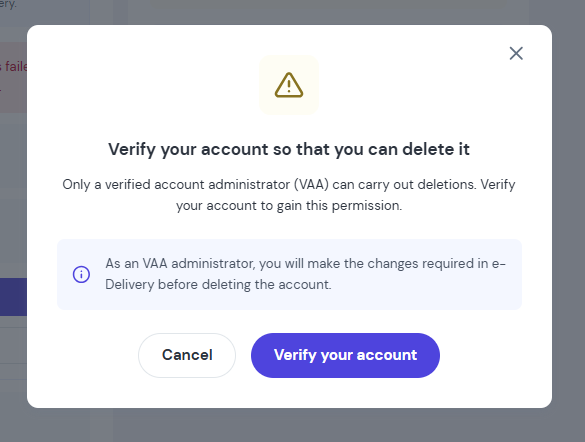
- If you are NOT the AKP Administrator: The message will display the contact details of the designated AKP administrator. Contact them to complete the account deletion process.
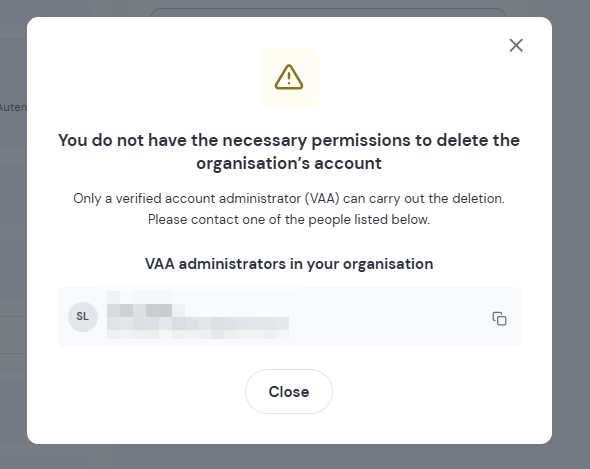
Step B: Hide the address and change e-Delivery settings
Once you have AKP permissions and your company account is confirmed:
- Go to the e-Delivery tab.
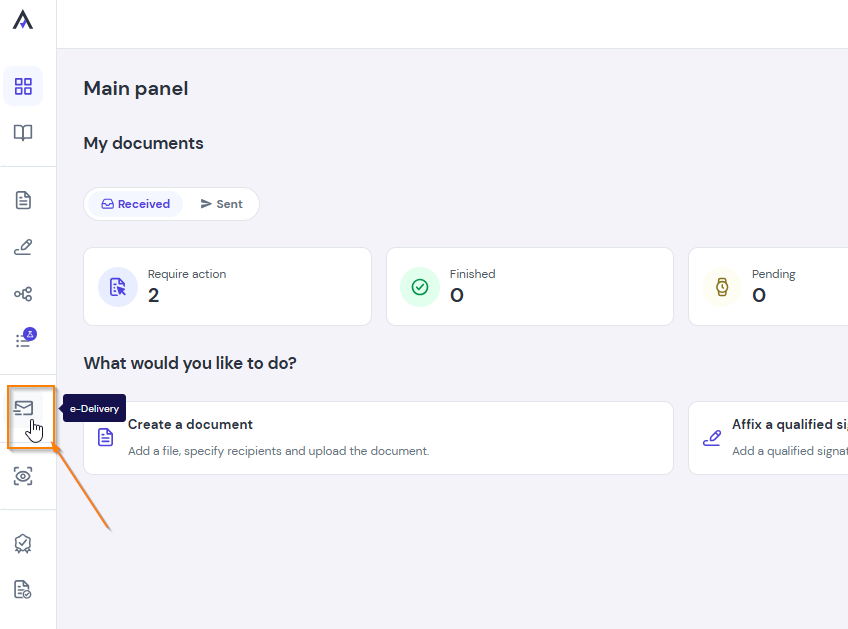
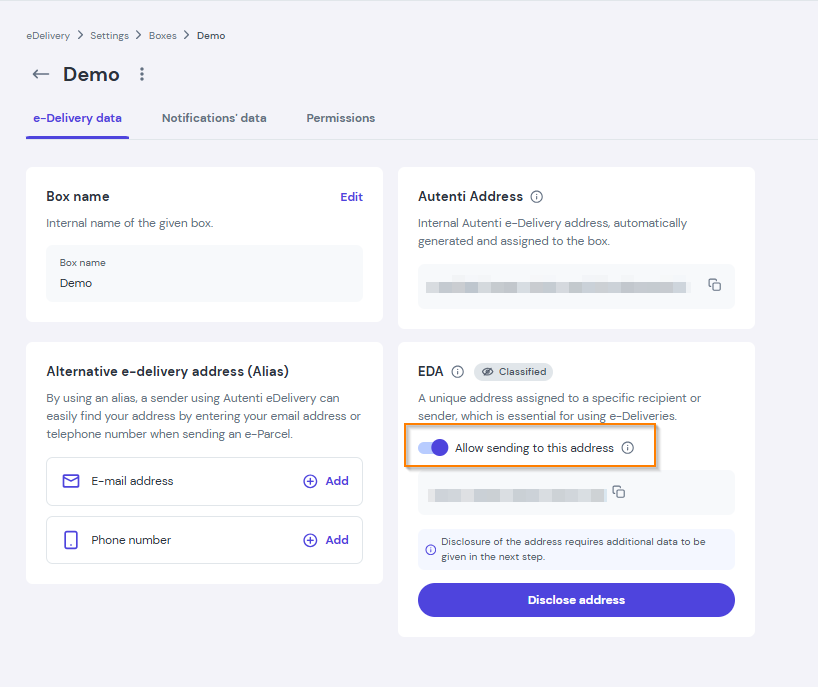
- If your organization's BAE address is public (disclosed) - set it to private (hidden).
- After hiding the address, uncheck the option "Allow sending to this address".
- Go back to the Organization details tab and click Delete account again.
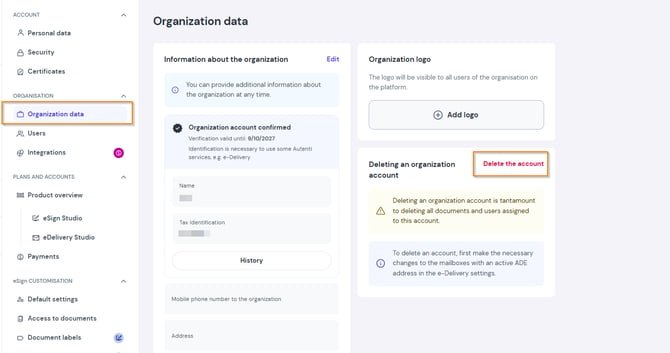
- After clicking Delete account, you will see a prompt asking for your email address.
- Enter your email address - we will send a confirmation link to your inbox.
- Open your email inbox and find the confirmation message for deleting the organization account.
- Click the Delete account button inside the received email to finalize and complete the process. And you're done!
Remember! Deleting a company account is permanent and results in the irrevocable loss of access to the Autenti platform and all documents assigned to this account. All users belonging to this organization will also be removed.